Massage at the client's address: zones, travel fees and travel time in LineUp
How a studio with a team offers massage at home, in a hotel or at work: distance zones, travel and parking fees, travel time in the calendar, price up front.
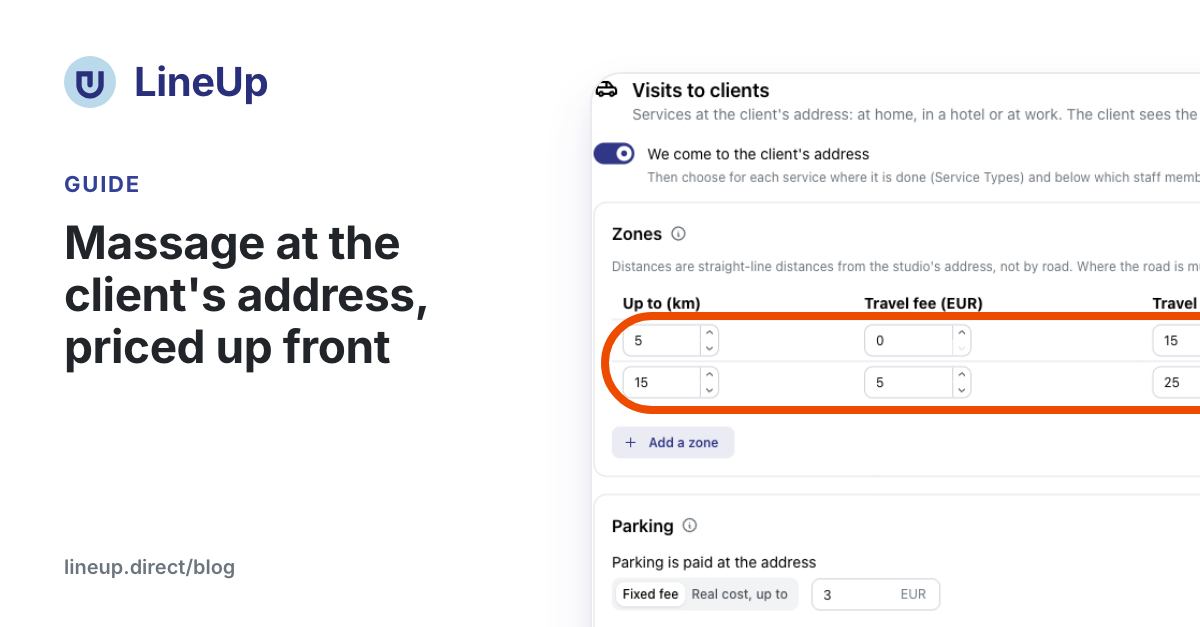
You turn on massage at the client's address in LineUp on the Visits to clients tab. You set zones by distance from the studio, a travel fee and travel time for each zone, what each parking answer costs, and which therapists go out. When booking online, the client picks At my address, enters the address and sees the full price before confirming, never a range. The therapist is busy in the calendar for the travel too, while the room in the studio stays free.
This guide is for studios with a team that also send therapists out to homes, hotels, villas, boats or offices.
What you need first
- The studio's address on the map. Distances are measured from the studio's point; if it is missing, the tab tells you. Pick the address from the suggestions in Store Settings.
- At least one therapist who goes out. Only the staff members you mark can be booked for a visit.
- The owner or manager role. Only they can change the visit settings.
Step 1: zones, travel fee and travel time
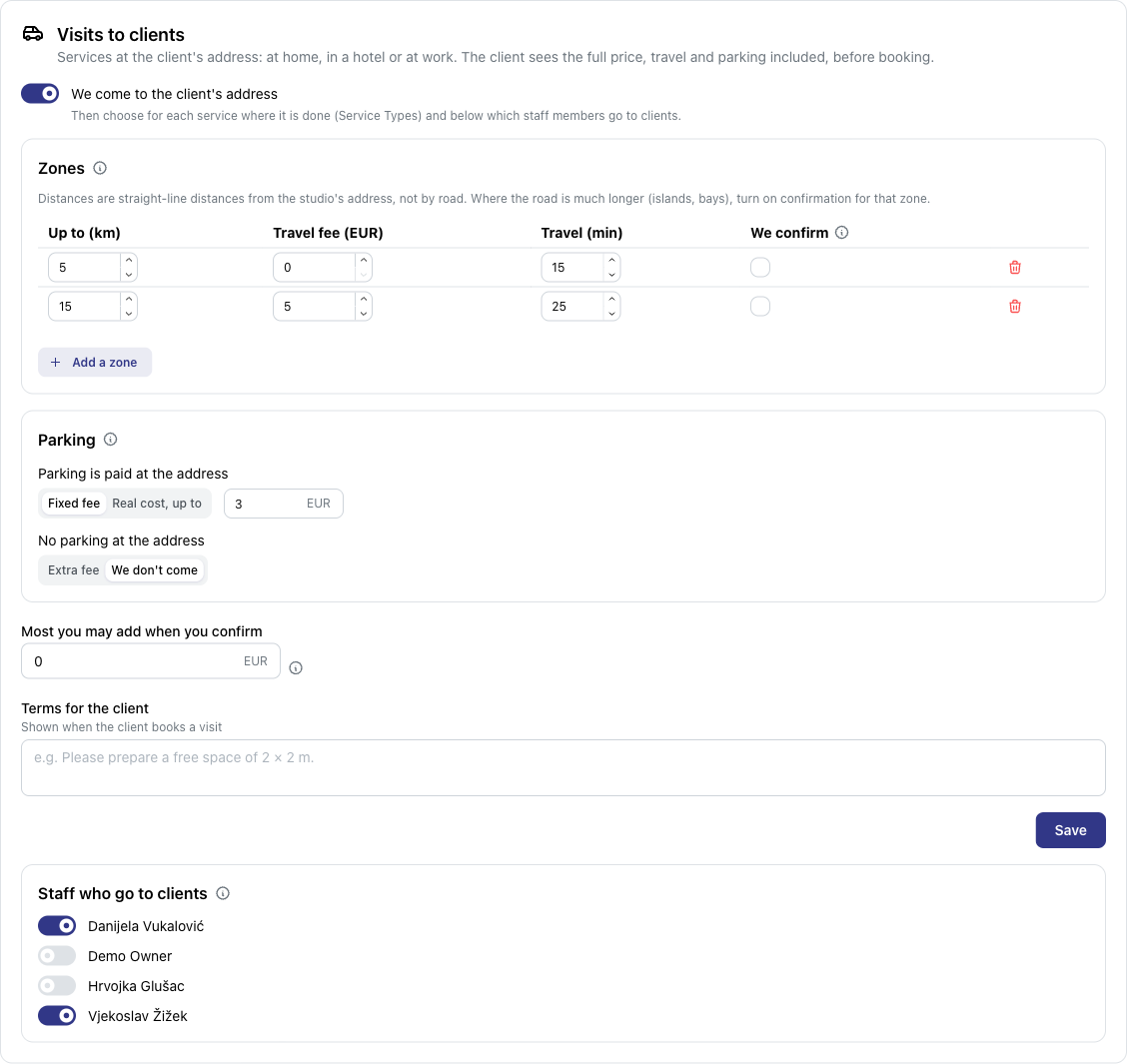
Open Store Management, choose the studio and the Visits to clients tab. Turn on We come to the client's address and add zones with Add a zone.
Each zone has four fields:
| Field | What it means |
|---|---|
| Up to (km) | How far the zone reaches from the studio |
| Travel fee | The amount added to the price of the service |
| Travel (min) | The travel time before and after the appointment |
| We confirm | Bookings in this zone wait for your confirmation |
Distances are straight-line distances from the studio's address, not by road. Beyond the last zone the studio does not come.
Step 2: parking and terms
When booking, the client says what parking is like at their address: free, paid or no parking. You decide what each answer means:
- Parking is paid: a fixed fee, or real cost, up to an amount you set. The real cost is paid on the spot, and you enter it in the appointment. The client knows the most it can be in advance.
- No parking: an extra fee, or We don't come.
Two more settings follow:
- Most you may add when you confirm. It applies only to bookings that wait for your confirmation. With 0, the price cannot change.
- Terms for the client. A short text the client sees when booking, for example "Please prepare a free space of 2 × 2 m."
Save the zones, the parking and these two settings with Save.
Step 3: who goes out and which services
At the bottom of the tab, under Staff who go to clients, turn on the therapists who do visits.
Then open each service on the Service Types tab and under Where the service is done choose:
- In the studio: as before (the default);
- At the client's: the service is done only at the client's address;
- Both: the client chooses when booking.
How the price is worked out
The price of a visit adds up three items: the service, the zone's travel fee and the parking fee. Take the settings from the picture above:
| Setting | Value |
|---|---|
| Zone 1 | up to 5 km, travel fee 0 €, travel 15 min |
| Zone 2 | up to 15 km, travel fee 5 €, travel 25 min |
| Parking is paid | fixed fee 3 € |
| No parking | we don't come |
A client 8 km from the studio, with paid parking, books a 60-minute massage at 60 €. They see:
- service 60 €;
- travel 5 € (zone 2);
- parking 3 €;
- total 68 €.
A client 20 km away is told "The studio does not come to this address" and offered a booking at the studio, if the service can also be done there. A client with no parking is told the studio does not come where there is no parking.
Deposits, discounts and gift vouchers
- The deposit and online payment are worked out from the total, travel and parking included. Parking at its real cost is paid on the spot and is not charged online.
- Discounts and coupons reduce only the service, not the travel.
- A gift voucher for an amount also pays for the travel. A voucher for a service covers only the service, and the client pays the travel.
Travel time in the calendar
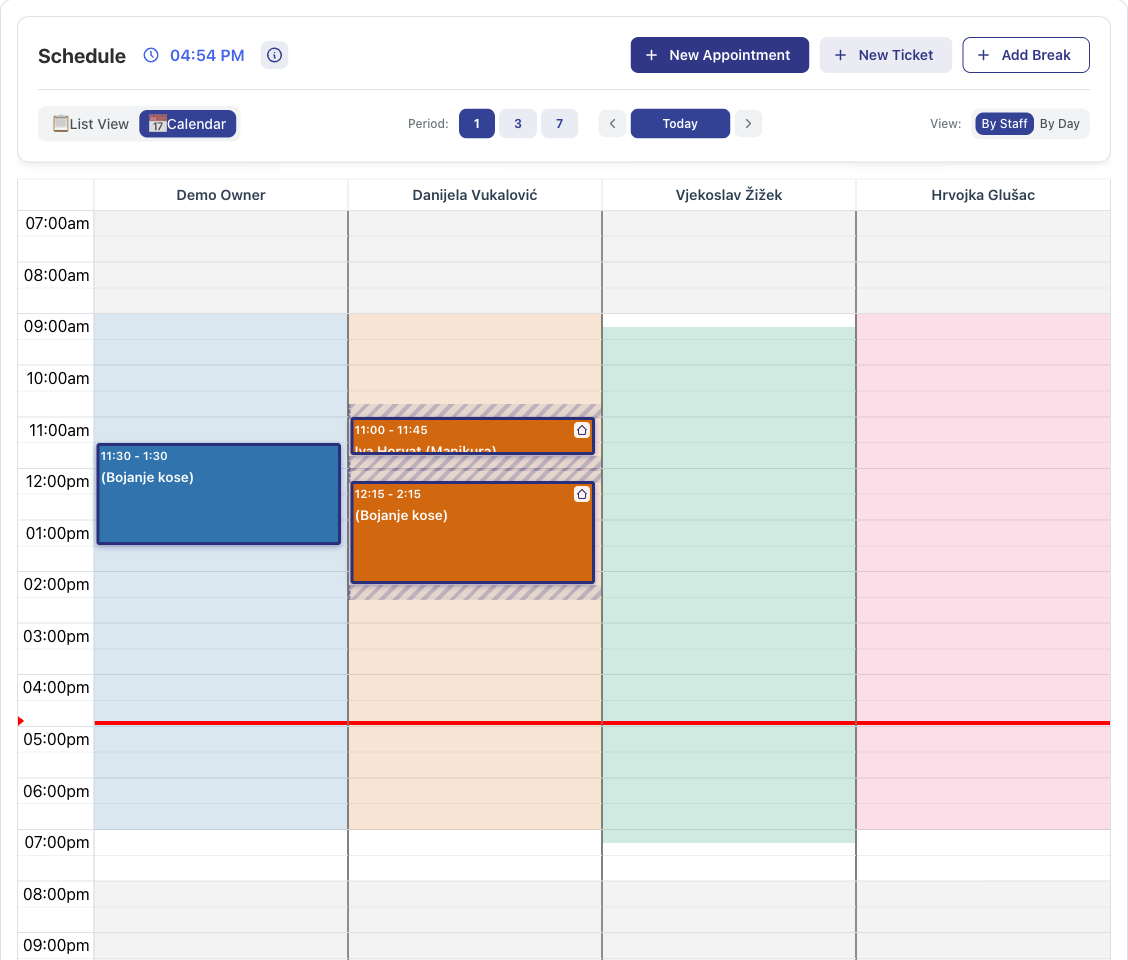
For a visit, the therapist is busy before and after the service for as long as the travel in that zone takes. In the example above the massage runs from 14:00 to 15:00, and the therapist is busy from 13:35 to 15:25. No studio appointment can be booked for them in that time either.
- the travel time replaces the usual buffer between appointments, it is not added to it;
- a visit takes no room or workstation, so other therapists can use them;
- a service at the client's address starts on a quarter hour, for example at 9:30, not at 9:25 after 25 minutes of travel.
In the calendar a visit has a house icon, and the travel time is drawn as a shaded block before and after it. When you open the appointment you see the address with Open on the map, the note for getting in, the parking answer, the distance and the price items.
How the client books a visit
On the studio's page the client sees "Comes to your address up to 15 km". Booking goes like this:
- The client chooses a service. For a "Both" service, under Where? they pick At the studio or At my address.
- They enter the address and pick it from the suggestions, or mark it on the map.
- In How to get in they add the floor, the doorbell or a gate code.
- They answer Parking at your place: free, paid or no parking.
- LineUp checks the address at once and shows, for example, "8 km from the studio · travel 5 €".
- The client picks a free time. Only therapists who go out are offered, and only when their travel time is free too.
- Before confirming they see the price items, the total and your terms.
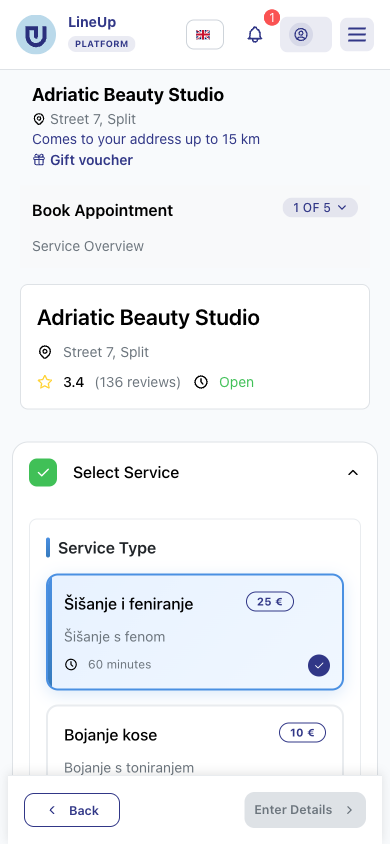
In LineUp's studio search, studios that come to the visitor's address carry the badge "Comes to your address · travel 5 €". There is also a filter, "Only studios that come to me".
Zones with confirmation and raising the price
If the zone or the service needs confirmation, the booking waits for you after the client books. Before you confirm, you may add an amount, up to the most you may add in the settings, for example when the ferry runs less often that day.
The client then gets an e-mail with the new price and may cancel free of charge. After that, you confirm the booking.
Reception books a visit
When a client phones, click New Appointment on the schedule and choose a service done at the client's. Enter the address, by search or as a point on the map, and the parking answer. LineUp works out the travel fee and travel time from the same zones.
Messages with the address
- The client: the confirmation and the reminder show the client's address instead of the studio's. Instead of "arrive 5–10 minutes early", they say the studio is coming to them.
- The studio and the therapist: they get the address, a map link and the parking answer.
Only the studio and the therapist assigned to the appointment see the address. It is deleted and anonymised together with the rest of the appointment's data.
A short check before your first visit
- The studio's address has a point on the map.
- There is at least one zone. The last zone is also the furthest you go.
- Parking has an answer for "paid" and for "no parking".
- At least one therapist goes to clients.
- At least one service is set to "At the client's" or "Both".
- A test booking to your own address shows the price you expect.
The LineUp team can set up the zones and services for your studio.
Related questions
- How do I book a service at my own address?
- Can the travel price change after I book?
- The studio doesn't accept my address. Why?
- How do I offer a service at the client's address?
- How does travel time show in the calendar?
- How do I book an appointment at the client's address (for example when they call)?
- How do I raise a visit's price before confirming, and enter the real parking cost?
- How do I make a deposit required when clients book?
- Does a discount apply together with a gift voucher?