A couple's massage and several services in one booking
How to set up a couple's massage in LineUp, let clients book several services together online and add a second staff member, with one message per visit.
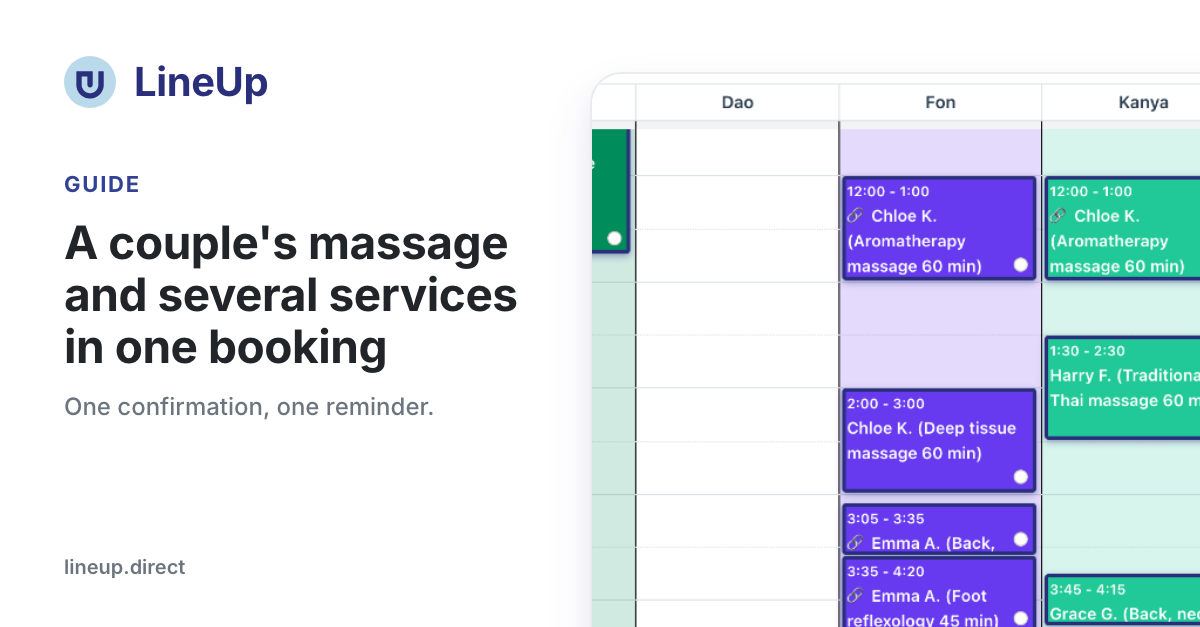
In LineUp one client visit can now have several appointments: a couple's massage with two therapists at the same time, two or three services one after another, or another staff member the front desk adds to the same visit. The client books once, pays once and gets one confirmation, one reminder and one message after the visit. In the calendar each staff member still has their own appointment, with its own price and earnings.
This guide is for studios that so far made two separate bookings for a couple or for two services, so their clients got every message twice.
A couple's massage: one booking, two therapists
A service that several staff members do at once is set up on the service itself:
- Open the Service Types tab and the service, e.g. "Couple's massage 60 min".
- Under Staff members at once, choose 2 (or 3).
- Enter the Price for the whole booking, for both guests.
- Save the service.
The client then books it like any other service, with one booking. LineUp offers only times when two therapists who do it are free, and two rooms, if the service needs a room. The client does not choose the therapists; the service says the studio assigns them.
In the calendar the booking creates an appointment for each therapist, at the same time. The price is split in half, so each therapist's earnings are right. Both appointments are marked with 🔗.
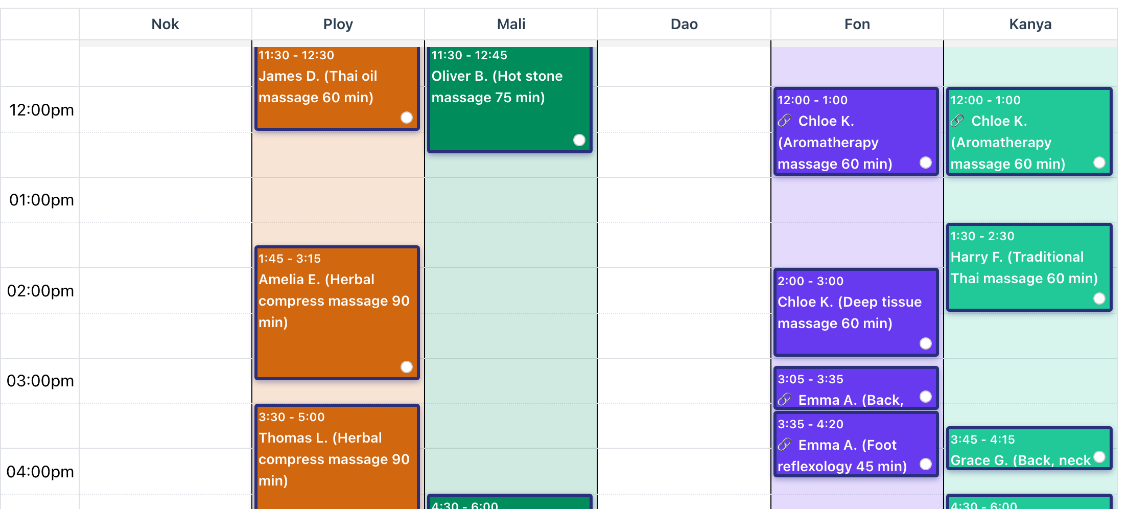
When a couple calls, the front desk enters one appointment for that service and LineUp adds a linked appointment for another free therapist by itself. If none is free, the app says so.
Several services one after another in one online booking
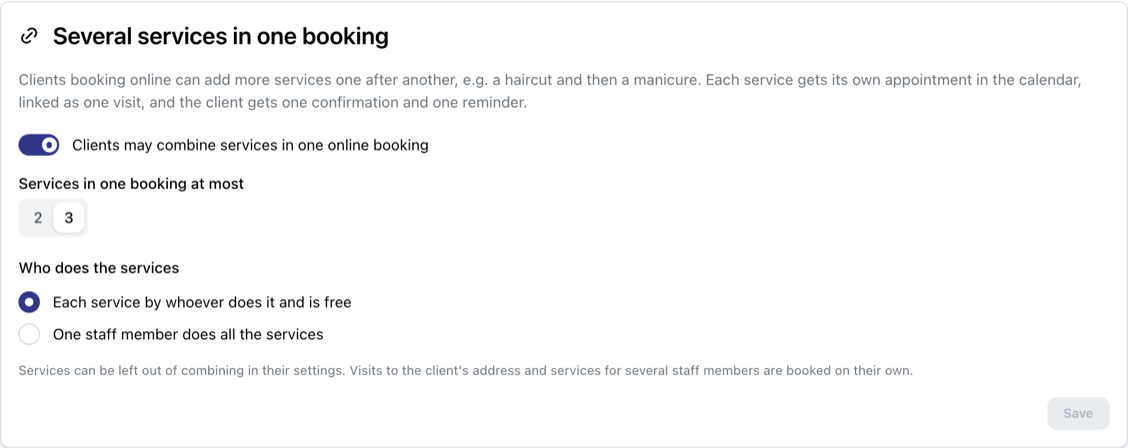
A client who wants a back massage and then foot reflexology no longer needs two bookings. Turn it on in Store Settings → Operation Modes, in the Several services in one booking card:
- Clients may combine services in one online booking: on;
- Services in one booking at most: 2 or 3;
- Who does the services: Each service by whoever does it and is free or One staff member does all the services.
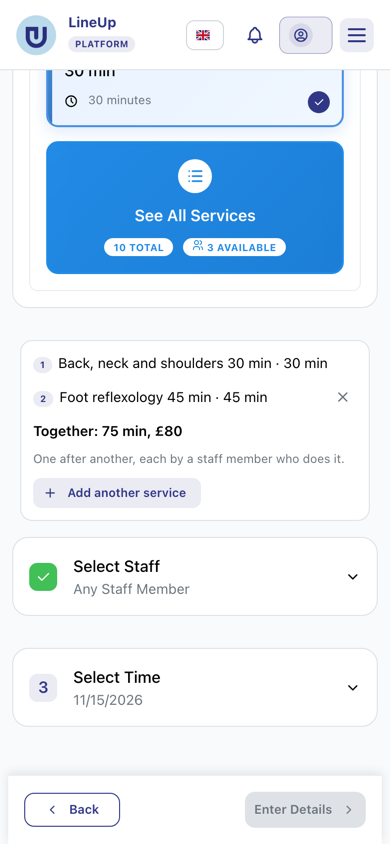
After the first service the client sees Add another service. Below the list they see the total time and price, and only times when all the services are free, one after another, are offered.
How LineUp looks for a free time:
- the services go in the order the client chose them, with no gap between them;
- the Buffer time between appointments applies before and after the whole visit;
- with "whoever is free", LineUp first tries to find one staff member for all of them, and only then several;
- with "one staff member", only times when one staff member can do all of them are offered;
- if a service needs a room, the room has to be free too.
To keep a service out of combining, untick Can be combined with other services in one online booking on the service. Services at the client's address and services for several staff members are always booked on their own.
A visit put together by the front desk: the linked appointment
Some studios do one massage with two therapists, or one does the first 30 minutes and another the next 30. This is now entered as one visit:
- Open the appointment in the calendar.
- In the Linked appointments card, click Create linked appointment.
- Choose the staff member and When: At the same time, After this one or Other time.
- Change the service and duration if needed, then click Create.
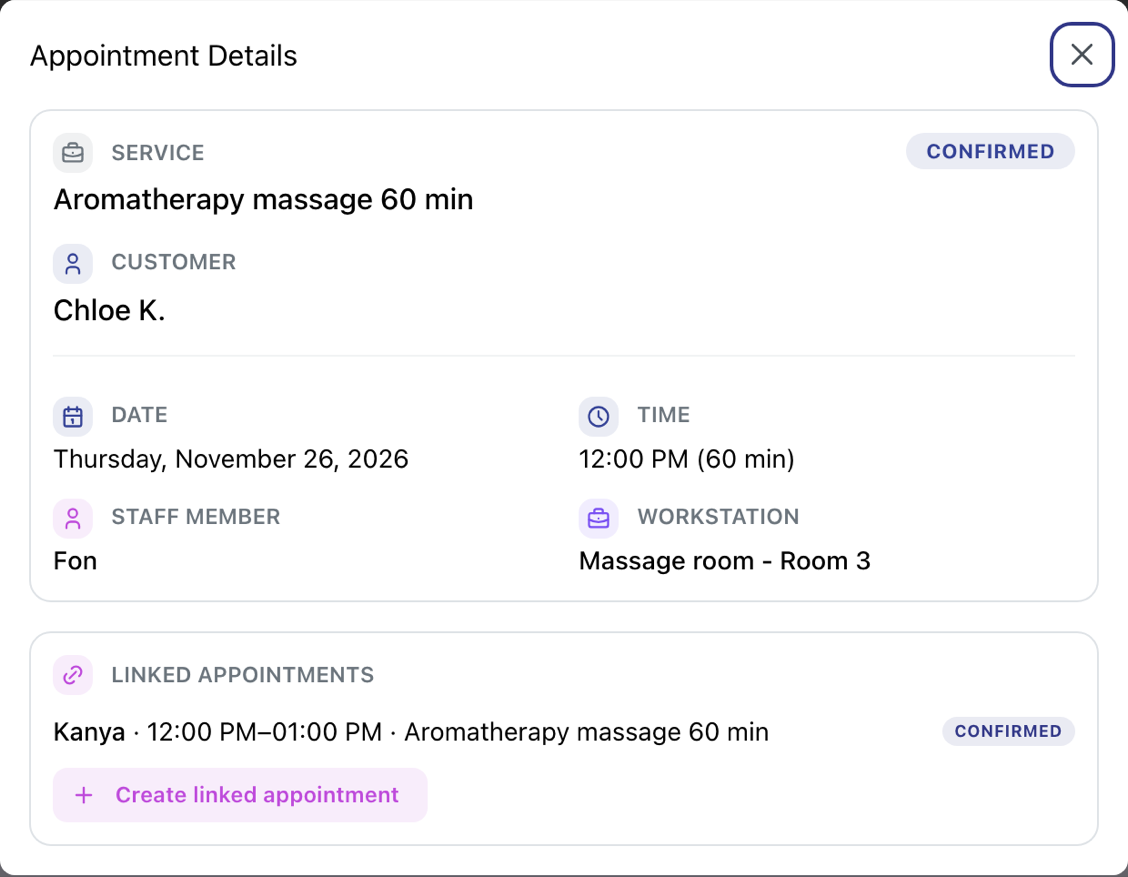
This also works on an appointment the client booked online. The client gets no extra message, and the staff member is told about their appointment. A visit has 3 appointments at most.
When you move or cancel an appointment marked with 🔗, LineUp asks whether the visit's other appointments should follow: Move all or Cancel all, or Only this one.
One message per visit
LineUp treats a client's appointments as one visit when they are linked, when they overlap, or when they follow each other at most 15 minutes apart. For such a visit the client gets:
- one confirmation, with all the services;
- one reminder;
- one message after the visit, once you complete the last appointment, with one review link.
This also helps studios that have so far entered visits with two therapists as two appointments: the client no longer gets double reminders or two review links.
Payment and deposit for the whole visit
An online booking with several services, or a couple's massage, is paid with one payment:
| How the client pays | What happens |
|---|---|
| By card | One payment for the total, with the services in the order, e.g. "Back massage + Foot reflexology" |
| Deposit | The deposits of the services you ask one for, added up; for a couple's massage one deposit on the price of the booking |
| In the studio | Each service at its own price |
The payment is tied to the first appointment of the visit, and the others follow it: they are confirmed and cancelled together with it. When the client cancels any appointment of the visit themselves, the whole visit is cancelled, and the refund follows the studio's cancellation rules. If you cancel only one appointment of a paid visit, make the refund for that part with Refund on the first appointment.
A quick check before the first visit
- The couple's service has Staff members at once set to 2 and a price for both.
- At least two therapists are assigned to that service and have a shift at the same time.
- Several services in one booking is on in Operation Modes, if you want clients to combine services.
- Services that are not combined have Can be combined unticked.
- A test booking of two services shows the total time and price you expect, and two appointments with 🔗 in the calendar.
Related questions
- How do I set up a service that several staff members do at once (e.g. a couple's massage)?
- How do I let clients choose several services in one online booking?
- How do I add another staff member to the same visit (a linked appointment)?
- What happens when I move or cancel an appointment that is part of a visit?
- Why does the client get one message for several appointments?
- How is an online booking with several services or several staff members charged?
- How do I book a couple's massage or another service for two?
- Can I book several services in one booking?
- How do I pay for a booking with several services or a couple's massage?
- A client replied to LineUp's WhatsApp message. Where do I see it?