How do I book an appointment?
- Open Platform Discovery and choose a studio (or open the link the studio sent you).
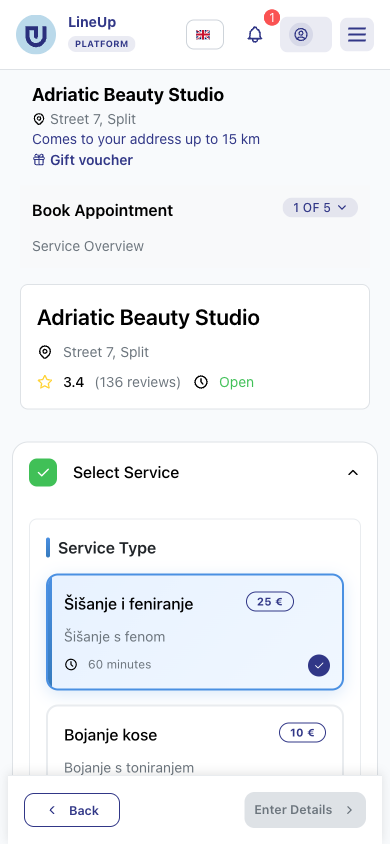
- On the studio page, click a service or Book Appointment.
- Step Service Overview: choose the service, a staff member (or anyone free) and a date and time. Click Enter Details.
- Step Your Details: enter your name, email and phone (whatever the studio asks for) and, if you like, choose Reminders. Click Review Booking.
- Step Booking Summary: check your details, tick that you agree to the terms and click Book Now or Go to Payment.
- If there is a Payment step, choose one of the ways to pay the studio offers.
- The Confirmation step shows the details of your appointment.